|
|
LABEL OFFSETName:
For the horizontal labels, the displacement (LABEL DISPLACEMENT) is the vertical distance from the frame to the label and the offset is the horizontal displacement. For the vertical labels, the displacement (LABEL DISPLACEMENT) is the horizontal distance from the frame to the label and the offset is the vertical displacement of the label. The label offsets hold for all subsequent plots until defaulted (via the ...LABEL OFFSET command with no arguments) or until overridden with new label offsets. The analyst can define offsets for all 5 plot labels: 1) 3 below the bottom horizontal frame; 2) 1 to the left of the left vertical frame; 3) 1 to the right of the right vertical frame line. The label is specified by the prefix in the command.
where <value> is a number or parameter that specifies the offset; and <prefix> is one of the following:
X2 refers to the second horizontal label X3 refers to the third horizontal label X refers to the first horizontal label Y1 refers to the left vertical label Y2 refers to the right vertical label Y refers to the left and right vertical labels no prefix refers to all 5 axis labels.
YLABEL OFFSET 10 X1LABEL OFFSET 5 X3LABEL OFFSET 13
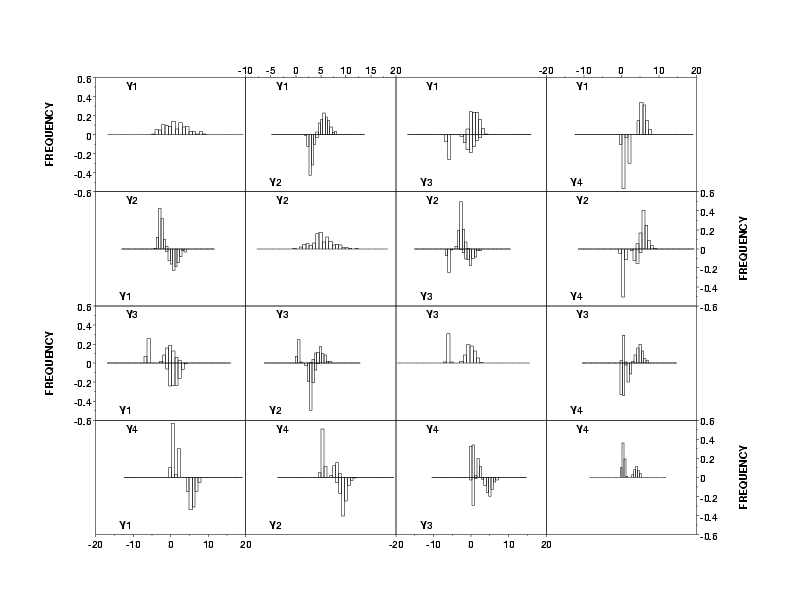
READ IRIS.DAT Y1 TO Y4 TAG MULTIIPLOT CORNER COORDINATES 10 10 90 90 MULTIPLOT SCALE FACTOR 3 SET MATRIX PLOT TYPE BIHISTOGRAM YLIMITS -0.6 0.6 YLABEL DISPLACEMENT 30 SET RELATIVE HISTOGRAM PERCENT X1LABEL JUSTIFICATION LEFT X2LABEL JUSTIFICATION LEFT X1LABEL OFFSET -30 X2LABEL OFFSET -30 MATRIX PLOT Y1 Y2 Y3 Y4
|
Privacy
Policy/Security Notice
NIST is an agency of the U.S.
Commerce Department.
Date created: 06/05/2001 | ||||||||||||||||||||